
ASP.NET Core Namespace Conflict Issues
Scenario
Recently, while refactoring someone else's project, the project name ended in "SYS". I "cleverly" decided to change it to ".System", and that's when the tragedy struck: the project would no longer compile. Below is a simulation of the scenario.
The project Namespace was "TestNameSpace.Web". During compilation, a large number of errors appeared in the Razor files.
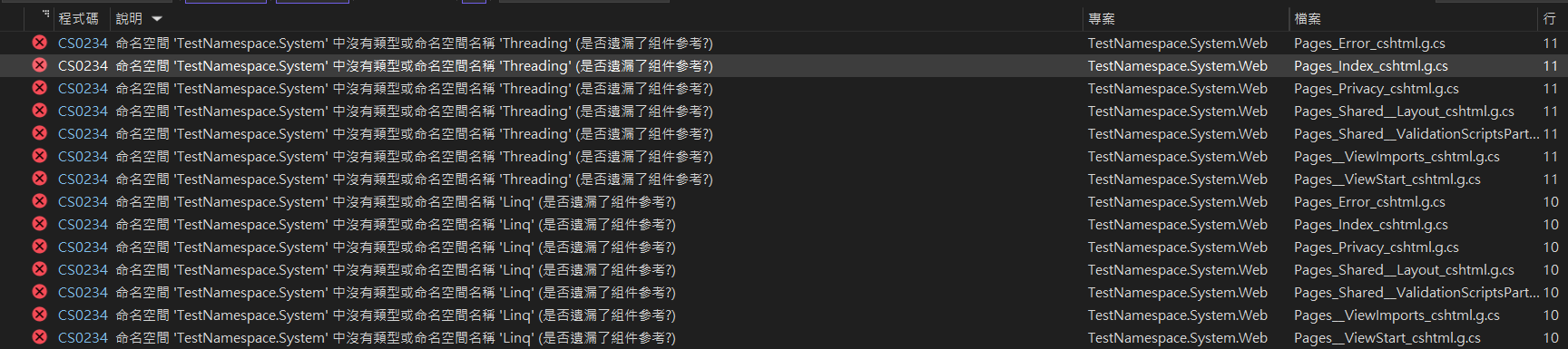
I initially thought it was a DLL reference issue, but after carefully examining the error messages, I realized something was wrong. The message was not "The type or namespace name 'Threading' does not exist in the namespace 'System'", but rather "The type or namespace name 'Threading' does not exist in the namespace 'TestNameSpace.System'". "TestNameSpace.System.Threading"??? It appeared to be caused by a namespace conflict.
Global Using Directives
C# 10, supported by .NET 6, introduced a new feature called "Global Using Directives". It allows for setting global usings and provides implicit global usings. In the image below, the grayed-out items are defaults that cannot be adjusted, but they can be extended.

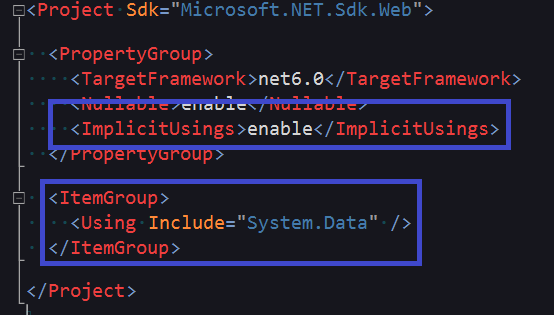
The corresponding XML structure in the project file is shown below. The top part sets whether to enable implicit global usings, and the bottom part adds additional global usings.
After building the project, you can find a file named "{ProjectName}.GlobalUsings.g.cs" under the "obj/{Configuration}/{.NET Version}" folder.
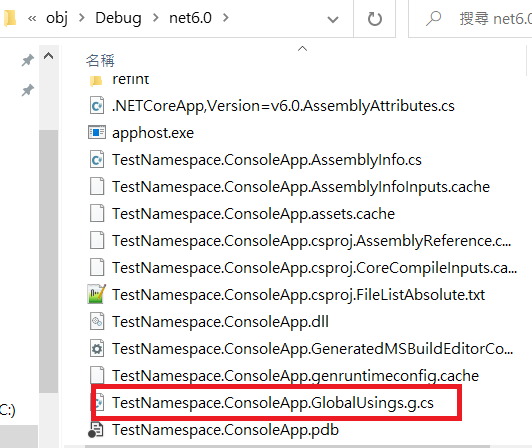
When no other implicit global usings are set, the file content looks like this:
// <auto-generated/>
global using global::System;
global using global::System.Collections.Generic;
global using global::System.IO;
global using global::System.Linq;
global using global::System.Net.Http;
global using global::System.Threading;
global using global::System.Threading.Tasks;Is the Problem Solved?
After disabling implicit global usings, I found that it still wouldn't compile. I subsequently changed the Framework version to .NET 5, which does not support "Global Using Directives", and it still failed to compile. This indicates that the global using settings for Razor files come from elsewhere. Finally, I opened "obj\Debug\net5.0\Razor\Pages\Index.cshtml.g.cs". As shown in the image below, I discovered that in addition to the usings set in "_ViewStart.cshtml", there are other default usings, and they differ from the content in Global Usings. It is currently suspected that these might be hardcoded.
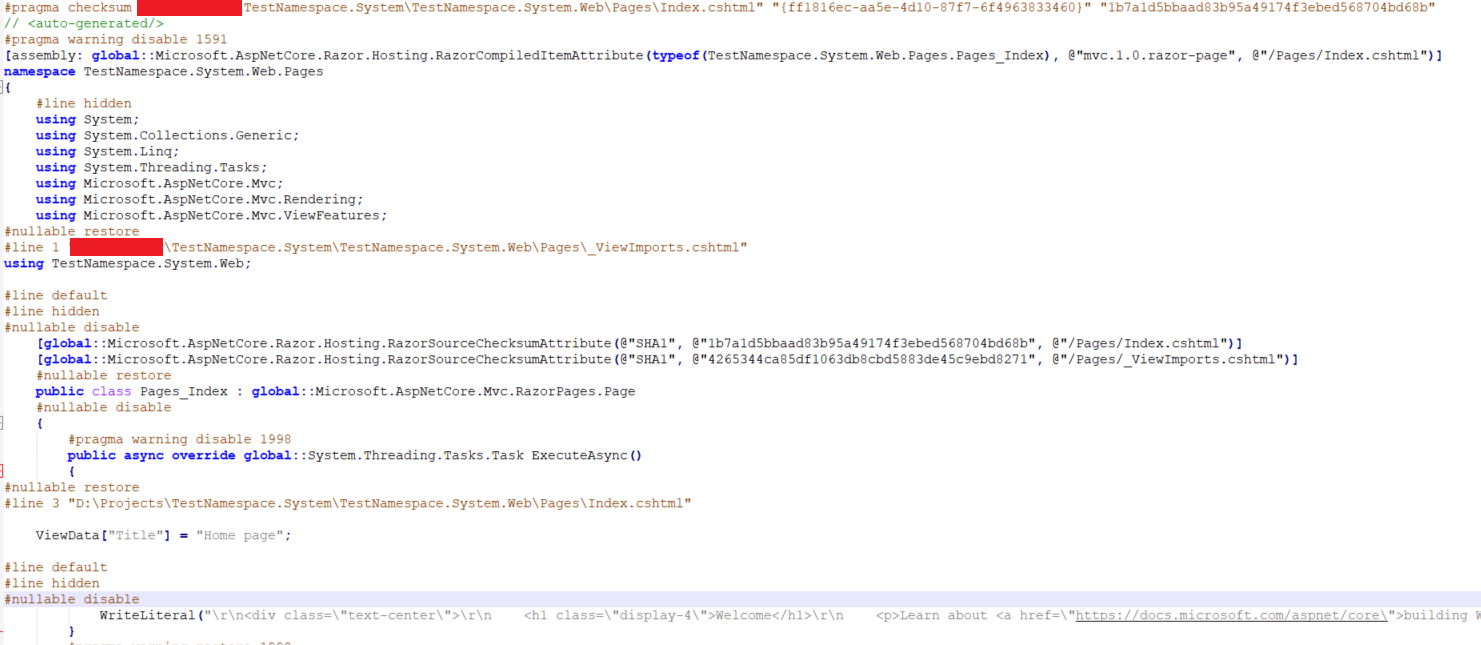
From the image above, we can see that the Root Namespace for each Razor file is defined in "_ViewStart.cshtml". By default, the project name is used as the Root Namespace. Therefore, you can refer to the code below to change the defined Namespace to the required one. However, please note that the Namespace set in "_ViewStart.cshtml" must be the same as the Namespace in "{Page}.cshtml.cs". It would be quite strange if you changed the Namespace for all Razor-related files but kept it different from the rest of the project files. Even though "Project Name", "Assembly", and "Root Namespace" do not usually need to be consistent, in this case, it is best to avoid using these keywords from the start.
@using TestNamespace.Sys.Web
@* Change System to Sys here, so all Razor files will apply this Namespace *@
@namespace TestNamespace.Sys.Web.Pages
@addTagHelper *, Microsoft.AspNetCore.Mvc.TagHelpersTIP
The path mentioned above was only found in .NET 5. I have not yet found where .NET 6 stores the "\Razor\Pages{Page Name}.cshtml.g.cs" files generated during the compilation process.
Conclusion
When creating an ASP.NET Core project that uses Razor files, it is recommended not to include "System" or "Microsoft" in the project name.
Change Log
- 2023-01-09 Initial version created.